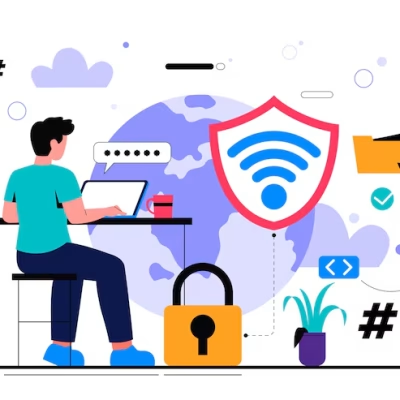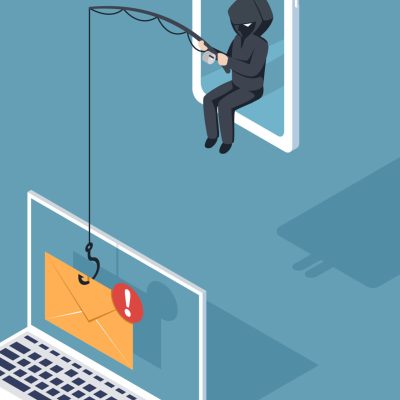


Public Wi-Fi is everywhere—cafés, airports, schools, malls, hotels, restaurants, and even buses. While it is convenient and free, public Wi-Fi is one of the biggest cyber traps used by hackers to steal personal information, banking details, passwords, and private messages.
If you regularly connect to open networks without protection, you are at serious risk.
This article explains the dangers of public Wi-Fi and the steps you can take to stay safe.
Why Public Wi-Fi Is Dangerous
1. Hackers Can Spy on Your Traffic
Many public Wi-Fi networks are unsecured, meaning anyone connected can:
- Capture your browsing activity
- Read your unencrypted messages
- Steal passwords
- Access sensitive information
This technique is called sniffing.
2. Fake Wi-Fi Networks (Evil Twin Attack)
Hackers create a fake hotspot with a name similar to the real one.
Example:
- Mall_Free_WiFi (real)
- Mall_Free_WiFi_2 (fake)
Once you connect, everything you type—from passwords to banking details—is exposed to the hacker.
3. Man-in-the-Middle (MITM) Attacks
In this attack, the hacker positions themselves between you and the internet.
They intercept your data silently and can:
- Modify messages
- Steal login credentials
- Inject malware
- Redirect you to fake websites
Most users never detect it.
4. Malware Distribution
Cybercriminals can push malware, spyware, and viruses through insecure networks.
Once infected, your phone or laptop becomes vulnerable to:
- Account takeover
- Data theft
- Ransomware
- Keylogging
5. Session Hijacking
Hackers can capture your session cookies and log into your accounts without needing your password.
This is common with:
- Social media
- Banking apps
- E-commerce websites
What You Should Never Do on Public Wi-Fi
Unless necessary, avoid using public Wi-Fi for:
❌ Online banking
❌ Email login
❌ Social media login
❌ Online shopping
❌ Entering passwords
❌ Opening sensitive files
❌ Filling personal or business forms
Public Wi-Fi is not safe for confidential activities.
How to Protect Yourself on Public Wi-Fi
1. Use a VPN (Virtual Private Network)
A VPN encrypts your connection so hackers cannot read your data.
It is the most effective protection on public networks.
Trusted VPNs:
- NordVPN
- Surfshark
- ExpressVPN
- ProtonVPN
Free VPNs are risky—avoid them.
2. Turn Off Automatic Wi-Fi Connection
Your device may automatically connect to fake networks without your knowledge.
Disable:
Settings → Wi-Fi → Auto-connect OFF
3. Enable “Use Secure DNS” or “Private DNS”
On Android:
Settings → Network → Private DNS → dns.google or 1dot1dot1dot1.cloudflare-dns.com
This helps prevent redirection to fake websites.
4. Only Visit HTTPS Websites
HTTPS websites encrypt your data.
Avoid sites that show “Not Secure” in the address bar.
5. Forget Networks After Use
This stops your phone from reconnecting automatically later.
6. Keep Bluetooth & Airdrop Off
Hackers can connect through open Bluetooth or AirDrop and install files without permission.
7. Log Out After Using Important Services
Always log out of:
- Banking
- Social media
Especially when browsing on shared networks.
8. Avoid File Sharing on Public Wi-Fi
Disable:
- File Sharing
- Hotspot Sharing
- Network Sharing
Hackers use these features to break into devices.
9. Use Two-Factor Authentication (2FA)
Even if someone steals your password, they can’t access your accounts without your OTP or fingerprint.
Enable 2FA on:
- Gmail
- TikTok
- Banking apps
10. Update Your Device Regularly
Updates patch security holes that hackers may exploit.
Signs Your Device Was Compromised on Public Wi-Fi
Watch out for:
- Sudden battery drain
- Unknown apps installed
- Pop-ups appearing randomly
- Accounts logging out on their own
- Strange messages being sent from your accounts
- New devices appearing in “Linked Devices”
- Internet becoming unusually slow
If you notice any of these, you may have been hacked.
What to Do If You Think You Were Hacked
✔ Disconnect from Wi-Fi immediately
Turn off Wi-Fi and mobile data.
✔ Run a full antivirus scan
Use Malwarebytes, Kaspersky, or Bitdefender.
✔ Remove unknown apps
Especially ones installed recently.
✔ Change all your passwords
Start with email and banking.
✔ Enable 2FA on all accounts
This stops hackers from getting back in.
Conclusion
Public Wi-Fi is convenient, but extremely risky. Hackers often use it as an easy entry point to steal personal data, banking information, and social media accounts. By following the safety practices in this article, you can protect your device and your online identity while staying connected.
Cyber safety begins with awareness—and NoToYahoo.org is helping Nigerians stay informed, alert, and secure online.